
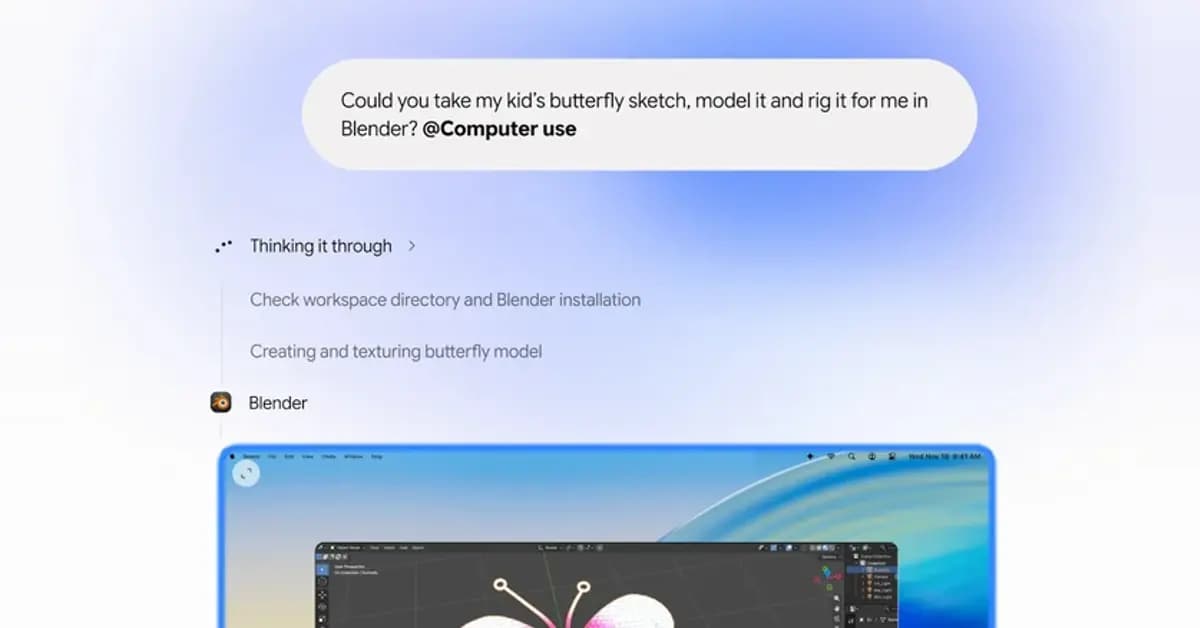
Google has launched a computer use capability for Gemini for Mac, enabling the desktop software to execute complex, multi-step actions across local applications and websites. The tool functions directly inside macOS by observing screen details through screenshots, clicking buttons, typing text, and scrolling through content in natural language workflows. According to reporting by Engadget, this functionality expands capabilities that were previously limited to Windows personal computers.
Automating Multistep Tasks with Gemini for Mac
The system allows users to delegate tedious digital labor to an automated agent. For instance, an operator can command the agent to inspect batches of clothing photographs stored in a folder, assess appropriate market pricing, record product attributes, and stage listings directly onto commerce portals. Users can also instruct the system to extract dimensions and physical addresses from local PDF records to populate freight shipping documentation automatically.
Creative tasks can also be accelerated through the updated agent. By integrating with specialized computers software, the agent can convert flat pencil drawings into three-dimensional models, manage repetitive color correction runs on image archives, or assemble presentation slides in Google Slides by compiling live dashboard metrics from multiple business units.
Isolated Background Execution
Unlike traditional remote control utilities, Gemini for Mac does not hijack the main cursor or monopolize active display space. The agent operates within a dedicated background workspace while providing a real-time visual preview inside the primary chat panel. Consequently, users can browse documents or conduct regular daily duties without interruption while the background automation progresses.
Users retain full authority over which desktop applications the agent may touch. Integration hooks are managed under application settings, allowing connections to productivity utilities including Git, Obsidian, Blender, and Autodesk Fusion alongside regular web browsers. A single click stops any active automation instantly.
Safety Controls and Human Confirmation
Google has embedded specific safeguards to prevent unintended operations across connected systems. The software halts automatically when encountering authentication checkpoints, password dialogs, or financial payment screens. In these circumstances, the system pauses execution and demands explicit human clearance before proceeding with sensitive digital transactions.
The deployment aligns with broader movements across artificial intelligence platforms toward autonomous system administration. By shifting from conversational responses to direct desktop intervention, current apps are turning into active assistants capable of managing operational workloads directly on user hardware.
Subscription Availability and Rollout
Subscribers can access the agent by including the dedicated computer use command inside prompt requests. The feature is initially available in US English for paying customers registered on Google AI Plus, Pro, and Ultra tiers. International expansion and additional language compatibility are planned as developer integrations continue to mature.