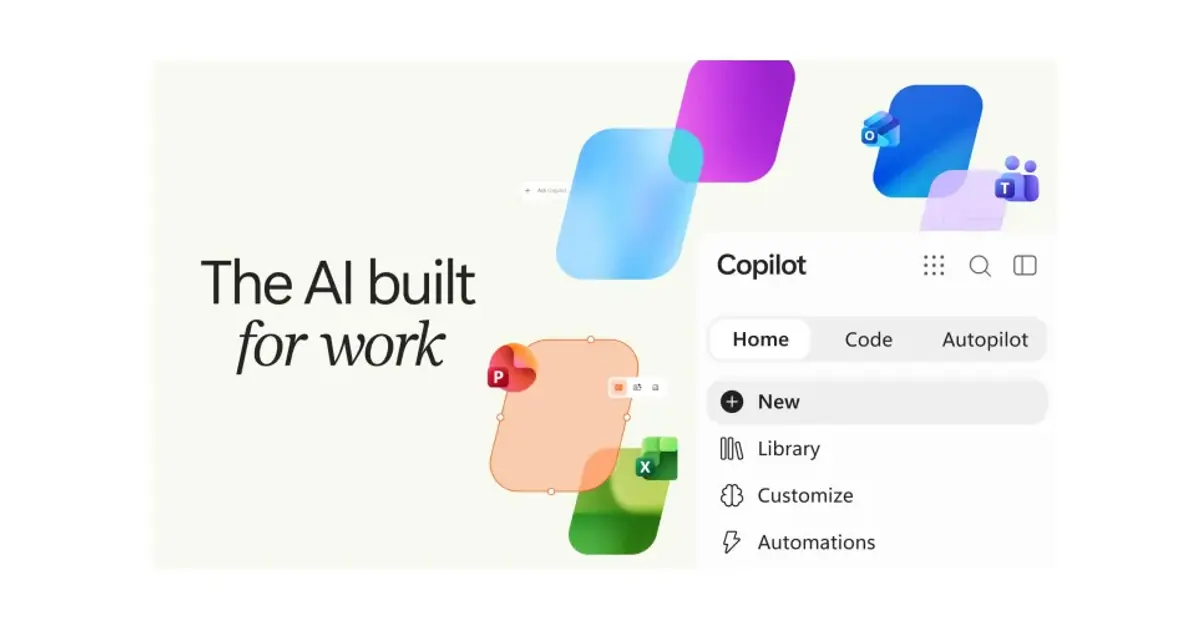
Microsoft has officially unveiled its new Copilot super app, combining chat, coding, and workflow automation into a single desktop and web workspace. The company introduced the updated application to serve as a unified hub for daily productivity tasks, according to a report by The Verge.
Structure of the Copilot super app Interface
The updated interface organizes features across three dedicated tabs named Home, Code, and Autopilot. The Home tab functions as the primary landing page, merging Copilot Chat with collaborative Cowork tools. In addition, Microsoft plans to introduce a Today dashboard that aggregates incoming emails, meeting invitations, and Teams messages in one location.
“Home is where you get your bearings, keeping you grounded and moving forward: review recent activity, get suggestions on what Copilot can help with, and pick up work right where you left off.”
Jared Spataro, Chief Marketing Officer of AI at Work at Microsoft
Natural Language App Building in Code Tab
The Code tab allows employees without formal development training to build custom software tools. Users can generate internal trackers, dashboards, and automated routines through simple text descriptions. These lightweight applications are hosted securely within the organization’s cloud tenant.
Built on the foundation of GitHub Copilot, the coding environment runs in isolation to protect sensitive business assets. As organizations increase their reliance on cybersecurity safeguards, this isolated sandbox approach ensures that user-created software meets enterprise compliance standards.
Rebranding Scout to Autopilot Digital Teammate
Alongside the interface redesign, Microsoft rebranded its Scout assistant as Autopilot. Scout originally appeared at the Build conference earlier this year as a personal helper. Within the new AI setup, Autopilot operates as an autonomous agent capable of managing multi-step assignments across company files and systems.
Consolidating Workflow and Reducing Context Switching
Enterprise organizations frequently manage disparate software solutions for communication, project tracking, and workflow automation. By centralizing conversational AI, low-code development, and autonomous task execution within a single client, Microsoft aims to minimize friction and simplify daily administrative routines for knowledge workers.
The integration of the Today view directly within the workspace reflects this unified strategy. By assembling schedules, correspondence, and team discussions alongside generative AI assistance, workers can prioritize high-impact deliverables without navigating between multiple standalone interfaces.
Enterprise Productivity Outlook
Microsoft executive Jared Spataro stated that Autopilot acts as a digital teammate for modern professionals. By bringing conversational models, code generation, and agent workflows under one roof, Microsoft intends to make the platform as foundational to modern enterprise work as its Office suite.